ad3

Saturday, 22 August 2015

Is Google taking a stand against Net Neutrality in India?

According to reports, internet search giant Google has reportedly begun pushing the Internet and Mobile Association of India (IAMAI), a body that represents Internet and mobile companies in India, from taking a stance that opposes Zero Rating, in its submission to the Department of Telecom’s report on Net Neutrality.
Zero Rating plans allow Internet companies (who have a lot of money to throw around) to grant access to their apps and services or websites absolutely free of charge, by making a deal with telecom providers.
A Medianama report now reveals that Vineeta Dixit from Google’s public policy and government relations team had written to IAMAI for removal of any mention of ‘Zero Rating’ from its submission to the Department of Telecom. The news site has got its hands on the copies of the emails written.
The email dated 14 August reportedly reads, “We would like to register strong protest against this formulation and would request you to remove this (Zero Rating) from the submission.”
It should be noted that amidst the entire net neutrality conundrum, Google hasn’t been in favour of; or, opposed net neutrality in India. It has been tight lipped so far. However, a report by The Economic Times points out that Google plans to roll out its own Zero Rated service in India.
In the past couple of months, a lot has been said and written about net neutrality in India. It was Airtel who created quite a stir with its new Airtel Zero marketing platform. However, massive outrage forced its partner Flipkart to walk out of Airtel Zero. Soon companies like Cleartrip and NDTV walked out of Facebook’s Internet.org, a platform which lets users access only those sites which have struck a deal with Facebook and Reliance communications – which was Facebook’s Indian telecom partner for Internet.org.
After months of debate on the fundamental principle of the Internet – freedom –the Department of Telecom panel led by A K Bhargava has submitted its report on Net Neutrality and made it public.
Throughout the report, the panel has emphasised on the user’s right to Net Neutrality. The recommendations of the report have been (paraphrased) here for your better understanding.
Yesterday was the last day for submitting your suggestions on the Department of Telecommunications’ (DoT) draft report on the issue of Net Neutrality, after the deadline was extended by five days. Unlike the older method where you had to send an email to TRAI, the new way to register your responses was through MyGov.in.

The received responses will be considered by the government to take a decision on the net neutrality issue along with TRAI’s suggestions following the consultation process.
Have questions, comments, or just want to tell me something funny? Email me at jhankritsoni17@gmail.com

Monday, 17 August 2015

Windows 10 updates can disable your pirated games

Torrentors beware, WIndows 10 can apparently disable your pirated games and software. According to Microsoft's new End User License Agreement (EULA) Windows has the caoability to render any pirated software on your system useless
Section 7b of the EULA states, Microsoft Services may "automatically check your version of the software and download software updates or configuration changes, including those that prevent you from accessing the Services, playing counterfeit games, or using unauthorized hardware peripheral devices. You may also be required to update the software to continue using the Services." That basically means that with every update, which you can't turn off by the way, Microsoft can disable your pirated software.
Have questions, comments, or just want to tell me something funny? Email me at jhankritsoni17@gmail.com
Tuesday, 7 July 2015

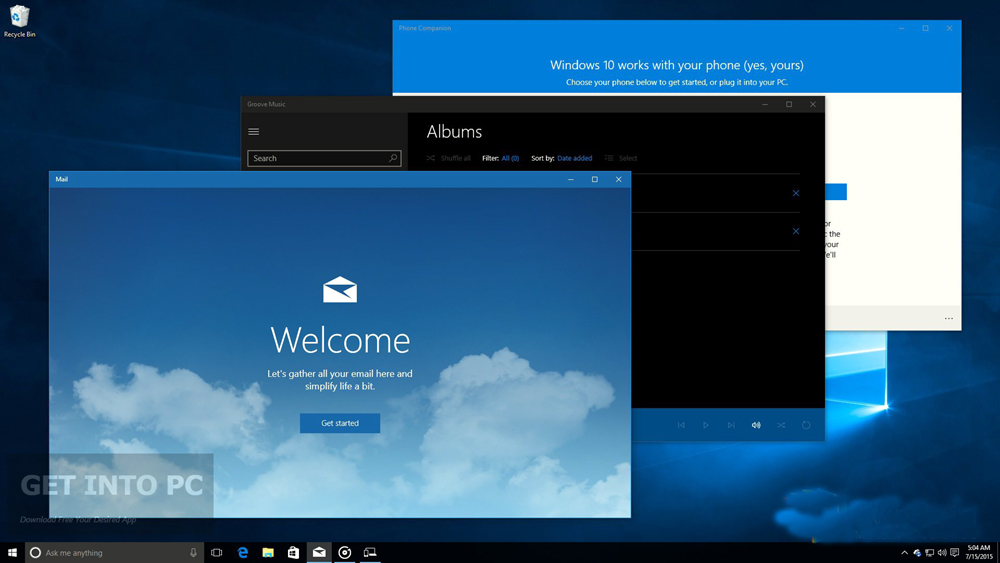
How to unlock password protected PC-delete admin password?


What will you do if you forgot your Computer Admin password ? You can reset Admin password by many ways, This time we are going to tell you another Trick to reset admin password. Resetting an admin password is so easy by this trick just that you need to do some exercise How? First of all remove your Hard disk Connect it to any other Working PC Go to c:\Windows\System32\config Find SAM & SAM.log files and Delete them Now Put your Hard disk to your PC and access as admin by empty password.
Have questions, comments, or just want to tell me something funny? Email me at jhankritsoni17@gmail.com

Tuesday, 23 June 2015

Don't want your phone to blow up? Follow this pieces of Expert Advise....
Don’t Want Your Phone to Blow Up? Follow These 6 Pieces of Expert Advice

Now a days many reports are coming that overheating can cause screen cracked because due to overheating battery got swollen which causes crack in screen. So we are here to bring you the advise how to stay protected from all this
1. Stay away from low-quality batteries.One of the potential issues pointed out with the Samsung Galaxy S4 that caught fire in Texas was that the phone’s battery was swapped for an aftermarket model. The smartphone batteries can be a bad idea because, in terms of quality and care in construction, “they do not follow the same standards as original manufacturers.”
When replacing your phone’s battery, you’ll probably want to skip the cheapest option on eBay or Amazon and instead seek out the same one with which your Samsung, HTC, or LG phone came (from what is often referred to as the “OEM,” or original equipment manufacturer).

2. Keep your phone in a well-ventilated place while charging.The second no-no with the Texas case: The charging phone was under a pillow.
Phone tucked under a pillow
“Do not cover a charging phone with a pillow.”
For obvious reasons, this isn’t good for the goal of keeping your phone from overheating. A rule of thumb would be to place a charging phone in an area away from insulating fabrics or other heat-emitting electronics (maybe not on top of a cable box, for example).
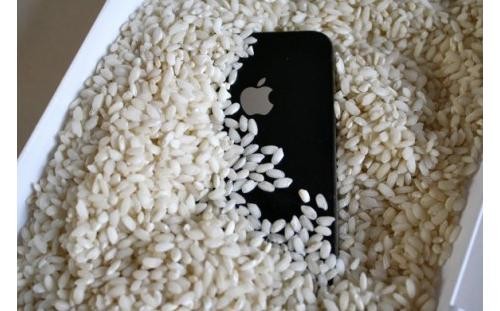
3. If you get your phone wet, have it checked by a professional.We all know it’s possible to bring a soggy smartphone back to a working condition, despite your rescue attempts, corrosion or short circuiting can still occur inside the phone, undetectable to the naked eye. These conditions could lead to dangerous overheating of the device.
iPhone in a bag of rice

4. Don’t overuse your phone while it’s charging.Juicing up draws a great amount of heat to your phone, making it plenty hotter than it is during normal use. Because of this, our iFix experts say that hardware-heavy activities like graphic-intensive games, WiFi tethering, or even searching for service in a low-signal area — processes that will also warm your phone up — shouldn’t be done while your device is plugged in.
Overusing the phone while charging “can create additional stress on the device and the charger,”.
A good rule of thumb: If you are Crushing some Candy while your phone is charging, and you feel the back get toasty, put the thing down. And not under your pillow, either. 
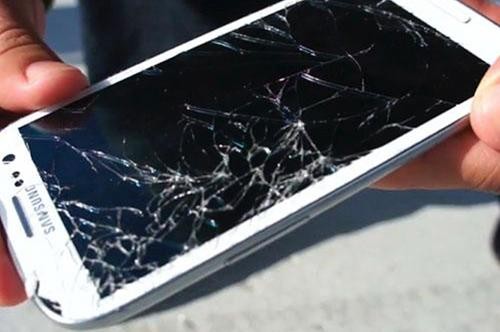
5. If your phone takes a nasty drop, don’t just dust it off and move on.Similar to the “wet phone” scenario, you shouldn’t just assume that your phone is A-OK because it still powers on after an unfriendly meeting with the concrete.
Cracked Samsung phone
Some possible problems caused by a nasty drop: a small crack in an internal component, a damaged or split battery, or exposed internals via a cracked display.
Having your phone taken apart by a specialist after it’s suffered some trauma is going to be the best way to go. And as smartphone screen repair by third-party services gets cheaper and cheaper, the option is now both safe and budget-friendly.
Oh, and also, you won’t be constantly made fun of by your friends.
6. If you notice any overheating or sudden battery drain, you may have a problem.
Phone owners are contacting its service and complaining that phones “suddenly start overheating. No water damage. No dropping.”
In the recent case of a year-old iPhone 4s, the phone suddenly began heating up and losing “a couple percent [charge] every minute.”
Since the phone was not covered under AppleCare, the team assessed the possible problems and eventually decided to resolder parts of the phone’s main chip board and install a new battery.
“So far it works just fine. We don’t quite know what the problem was, maybe a micro-crack on the board or chip, a loose connection, or a defective battery,”.
Much the way you want a good mechanic for your car, it’s not a bad idea to have a good phone repair shop in your Rolodex for when problems like the above surface. No one is fond of the thought of forking over hard-earned money for “smartphone maintenance.” But the alternative may be too hot to handle.
Have questions, comments, or just want to tell me something funny? Email me at jhankritsoni17@gmail.com
                                                                                                                                                                                               

Saturday, 6 June 2015

Microsoft Windows 10 arriving, Check how to

reserve it....

Windows 10 will be available July 29 2015 in 190 markets globally as a free upgrade to customers running Windows 7 and Windows 8.1.  The news about the Windows 10 release date was revealed on the official Windows blog by Terry Myerson. Here's everything you need to know about the Windows 10.


Here are the tips to reserve Windows 10:

Reserving your copy of Windows 10 is simple, just follow these steps to get it done. First though, you need to install the latest Windows updates on your PC.
  1. On Windows 8, you can do this by pressing Windows key+C > Settings > Change PC Settings.
  2. Now click Update and recovery on the left pane. Hit the download or install button to update your PC.
  3. On Windows 7, you can do this by clicking on the Start button, type update in the search box and click Windows Update.
  4. In the left pane, click Check for updates. Now select all updates and click Install updates.
After the updates are installed, the Get Windows 10 app should be installed on your computer. This app lets you reserve your copy of Windows 10. Here's how.
  1. Click the Windows icon on the system tray.
  2. Click Reserve your free upgrade.
  3. Enter your email address to receive confirmation of your reservation.
  4. Now you'll see a message that says your upgrade has been reserved. There's aCancel reservation button on the bottom left here. You can click that if you wish to cancel your reservation.

In order to upgrade to Windows 10, users will have to download a 3 GB file. The rest of the slides show Windows 10's ease of use, its Start menu, and how it can be seamlessly used on touchscreen-enabled devices or by attaching a keyboard and mouse to the device. 
The personal digital assistant app called Cortana and the all-new Microsoft Edge Internet browser will come integrated with the Windows 10 OS.

IMAGE SOURCE: MICROSOFT

Sunday, 31 May 2015

Google Maps to Get New Offline Search, Turn-by-Turn Navigation Features


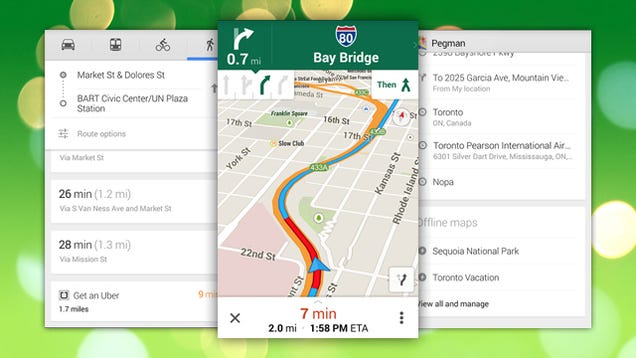
Google, besides announcing a slew of OS updates and features alongside Android Mat the Google I/O 2015 keynote event, also said it would soon be bringing offline search to its Google Maps app. The app will also feature complete voice-based turn-by-turn navigation while in offline mode. Both features will be made available sometime later this year.
The new offline features announced for Google Maps are aimed mainly for "emerging markets" where mobile Internet coverage is spotty, and data charges expensive, as navigation via GPS is independent of mobile networks. In the past, Google had introduced offline rerouting during navigation, which would reroute users even if they lose their Internet connection while navigating. Now, the entire process of navigation can be done when offline. The offline features are also useful for those users who are travelling to less-connected spots. The features will also come handy for those who are searching for directions when travelling in underground metros or via flight.

The offline search feature would enable users to search for places and points of interest, with results including autocomplete suggestions as well as reviews, contact numbers, opening hours and other information. The Google I/O 2015 keynote event saw the feature being demoed on a handset on Airplane mode and it seemed to work seamlessly.
Google launched its offline maps feature in 2012. The feature at that time allowed users to avail offline functionality in over 150 countries and save up to six large metro areas. The search giant last week rolled out native Maps app for Android Wear devices, alongside translucent status bar and other features.
Finally, Google at I/O 2015 also announced updates for its Google Places API for iOS, bringing it on par with Android with such new features as adding a place picker, current device location, detailed place information, search autocomplete, the ability to add places to Google's Places database, and more.

SOURCE: NDTV GADGET GURU

Friday, 29 May 2015

Antarctica region once thought stable suddenly 'thawing fast'

A group of scientists have observed a sudden increase of ice loss in a previously stable region of Antarctica.

A group of scientists have observed a sudden increase of ice loss in a previously stable region of Antarctica.
Using measurements of the elevation of the Antarctic ice sheet made by a suite of satellites, the team from the University of Bristol, UK found that the Southern Antarctic Peninsula showed no signs of change up to 2009. Around 2009, multiple glaciers along a vast coastal expanse, measuring some 750km in length, suddenly started to shed ice into the ocean at a nearly constant rate of 60 cubic km, or about 55 trillion litres of water, each year.
This makes the region the second largest contributor to sea level rise in Antarctica and the ice loss shows no sign of waning.
Team leader Bert Wouters said that to date, the glaciers added roughly 300 cubic km of water to the ocean, which is the equivalent of the volume of nearly 350,000 Empire State Buildings combined. By analysing roughly 5 years of the data, the researchers found that the ice surface of some of the glaciers is currently going down by as much as 4m each year.

The ice loss in the region is so large that it causes small changes in the gravity field of the Earth, which can be detected by another satellite mission, the Gravity Recovery and Climate Experiment (GRACE).
SOURCE: DNA INDIA